When people think about forms and surveys, they usually picture customer feedback or lead generation. But some of the most impactful forms never leave your organization. Internal forms power the daily engine of HR and operations, from onboarding new hires to reporting workplace incidents. Getting them right can save your team hundreds of hours and eliminate the chaos of scattered processes.
If your company still relies on paper forms, PDF attachments, or long email chains for internal requests, you are not alone. Many organizations struggle with fragmented processes that slow everything down. The good news is that switching to digital internal forms is straightforward, and the benefits are immediate.
The problem with internal processes
Before exploring solutions, it helps to understand why internal processes break down in the first place. Most organizations hit the same pain points as they grow.
Paper forms and PDFs
Paper forms get lost. PDFs sit in email attachments that nobody can find six months later. Neither format makes it easy to search, sort, or analyze the data you collect. When an auditor asks for records of last year's incident reports, nobody wants to dig through filing cabinets or inbox folders.
Email chains for approvals
Forwarding a time-off request to a manager, who forwards it to HR, who logs it in a spreadsheet is a recipe for dropped requests. Without a structured workflow, things fall through the cracks and employees lose trust in the process.
Scattered data across systems
When onboarding data lives in one tool, equipment requests in another, and satisfaction surveys in yet another, it becomes nearly impossible to get a complete picture of your operations. Each silo adds friction and reduces visibility.
No standardization
Without standardized forms, different managers collect different information for the same process. One team's performance review looks nothing like another's. This inconsistency makes it difficult to compare data, ensure fairness, or meet compliance requirements.
The cost of disorganization: Studies show that employees spend an average of 20% of their work week searching for information or tracking down colleagues for approvals. Standardized digital forms can reclaim a significant portion of that time.
Types of internal forms
Internal forms generally fall into two broad categories: HR forms that manage the employee lifecycle, and operations forms that keep the business running smoothly.
HR forms
HR touches every stage of an employee's journey. Here are the most common internal HR forms:
Employee onboarding checklists: Structured forms that guide new hires through their first days and weeks. They ensure nothing is missed, from signing policies to setting up equipment and meeting the team.
Time-off and PTO requests: A simple form that captures the type of leave, dates, and any notes. When paired with webhooks, submissions can automatically notify managers and update calendars.
Performance review self-assessments: Standardized questionnaires where employees reflect on their goals, accomplishments, and areas for growth. Consistent formats make it easier for managers to compare and discuss.
Employee satisfaction surveys: Anonymous surveys that measure how people feel about their work environment, leadership, growth opportunities, and more. These are critical for retention and culture.
Exit interview questionnaires: When employees leave, capturing their honest feedback helps you identify patterns and improve retention. Anonymity is especially important here.
Training feedback forms: After workshops, courses, or onboarding sessions, collecting feedback helps you improve future training and measure its effectiveness.
Operations forms
Operations teams keep the infrastructure and logistics running. These forms streamline common requests:
IT support requests: A structured form that captures the issue type, urgency level, and device information. This replaces vague emails like "my computer is broken" with actionable data.
Equipment and supply requests: Whether it's a new monitor, office supplies, or specialized tools, a standardized request form ensures proper tracking and budgeting.
Incident reports: Safety incidents, security breaches, or workplace issues need to be documented consistently. A structured form ensures all required details are captured while the event is fresh.
Facility maintenance requests: Broken lights, HVAC issues, or cleaning requests can be submitted and routed to the right team automatically.
Vendor evaluation forms: After working with external vendors, internal teams can rate performance, reliability, and value. This data informs future procurement decisions.
Process improvement suggestions: Give employees a channel to propose better ways of working. The best ideas often come from the people closest to the work.
Practical tip: Start with the forms that cause the most pain. If your HR team spends hours each week processing PTO requests manually, that is a great first candidate for digitization.
Benefits of digital internal forms
Switching from ad-hoc processes to structured digital forms creates advantages that compound over time.
Standardized data collection
Every submission follows the same format. Required fields ensure nothing is missed. Dropdown menus and radio buttons eliminate ambiguity. When every PTO request has the same structure, processing becomes predictable and fast.
Automatic routing via webhooks
With webhook integrations, form submissions can be sent to Slack channels, ticketing systems, HR platforms, or any tool your team already uses. An IT support request can automatically create a ticket in your help desk. A PTO request can notify the right manager instantly.
Audit trail and compliance
Digital forms create automatic records with timestamps. When you need to demonstrate compliance with labor laws, safety regulations, or internal policies, you have a clear trail of every submission and response.
Accessibility across devices
Not every employee sits at a desk all day. Warehouse workers, field teams, and remote employees need to submit forms from their phones. Digital forms that work on any device ensure everyone can participate, regardless of location.
Analytics on internal processes
When your data is digital and structured, you can analyze it. How many IT tickets come in per week? Which department submits the most maintenance requests? Are employee satisfaction scores trending up or down? These insights help you allocate resources and spot problems early.
Data-driven decisions: Organizations that digitize their internal processes report faster resolution times, higher employee satisfaction, and better compliance audit outcomes.
Best practices for internal forms
Creating effective internal forms requires thoughtful design. Here are the practices that separate good forms from ones that people dread filling out.
Keep them simple
Internal forms should collect only what is needed for that specific process. A PTO request does not need an essay field. An IT support form does not need your blood type. Every unnecessary field reduces completion rates and frustrates employees.
Rule of thumb: If a field does not directly affect how the request is processed or routed, remove it.
Use conditional logic for role-specific questions
Not every question applies to every employee. A performance review for a manager should include leadership questions that an individual contributor does not see. Conditional logic keeps forms short and relevant for each person.
Integrate with your existing tools via webhooks
The value of a form doubles when its data flows automatically into your existing systems. Configure webhooks once, and every submission goes where it needs to go without manual intervention.
Common webhook destinations for internal forms:
- Slack or Microsoft Teams: Instant notifications for urgent requests
- Jira or Asana: Automatic ticket creation for IT and facilities
- HR platforms: Feed data directly into your HRIS
- Google Sheets or databases: Central repositories for tracking and reporting
Make them mobile-friendly
Test every internal form on a phone. If a warehouse worker cannot submit an incident report from the floor, the form is not doing its job. Forms should use large touch targets, simple layouts, and minimal typing.
Ensure privacy for sensitive information
Internal forms often collect sensitive data: health information, performance evaluations, salary complaints, or harassment reports. Use anonymous response options when appropriate, and make sure only authorized people can view submissions.
Trust matters: Employees will only use internal forms honestly if they trust that their data is handled with care. Be transparent about who sees what, and offer anonymity for sensitive topics.
Employee satisfaction surveys: a special case
Among all internal forms, employee satisfaction surveys deserve special attention. They are uniquely powerful for understanding your workforce, but they require careful handling to be effective.
Why anonymous surveys matter
Employees will not share honest feedback about management, culture, or workplace issues if they fear retaliation. Anonymous surveys remove that barrier. When people know their identity is protected, they share what they truly think, and that is the data you need to make real improvements.
Frequency and timing
Annual surveys give you a snapshot, but a lot can change in twelve months. Quarterly pulse surveys are more effective for tracking trends and catching issues early. Keep pulse surveys short, around five to ten questions, so they do not feel burdensome.
Good timing for surveys:
- After major organizational changes (restructuring, leadership changes)
- Following the completion of large projects
- At regular intervals (quarterly is the sweet spot for most teams)
- After onboarding, at the 30-, 60-, and 90-day marks
What to measure
The most useful employee satisfaction surveys cover a few key areas:
Employee Net Promoter Score (eNPS): "On a scale of 0-10, how likely are you to recommend this company as a place to work?" This single question gives you a quick, comparable metric.
Engagement: Do employees feel connected to their work and the company's mission? Are they motivated to go beyond the minimum?
Belonging: Do people feel included and valued? Belonging is increasingly recognized as a key driver of retention and productivity.
Manager effectiveness: How well do managers communicate, support growth, and handle feedback?
Growth opportunities: Do employees see a path forward? Lack of growth is one of the top reasons people leave.
Acting on results
Collecting survey data without acting on it is worse than not surveying at all. Employees who share feedback and see nothing change become cynical and disengaged.
A simple action framework:
- Share results transparently with the team (aggregated, not individual)
- Identify the top two or three themes that need attention
- Create specific, time-bound action plans for each theme
- Follow up in the next survey cycle to measure whether things improved
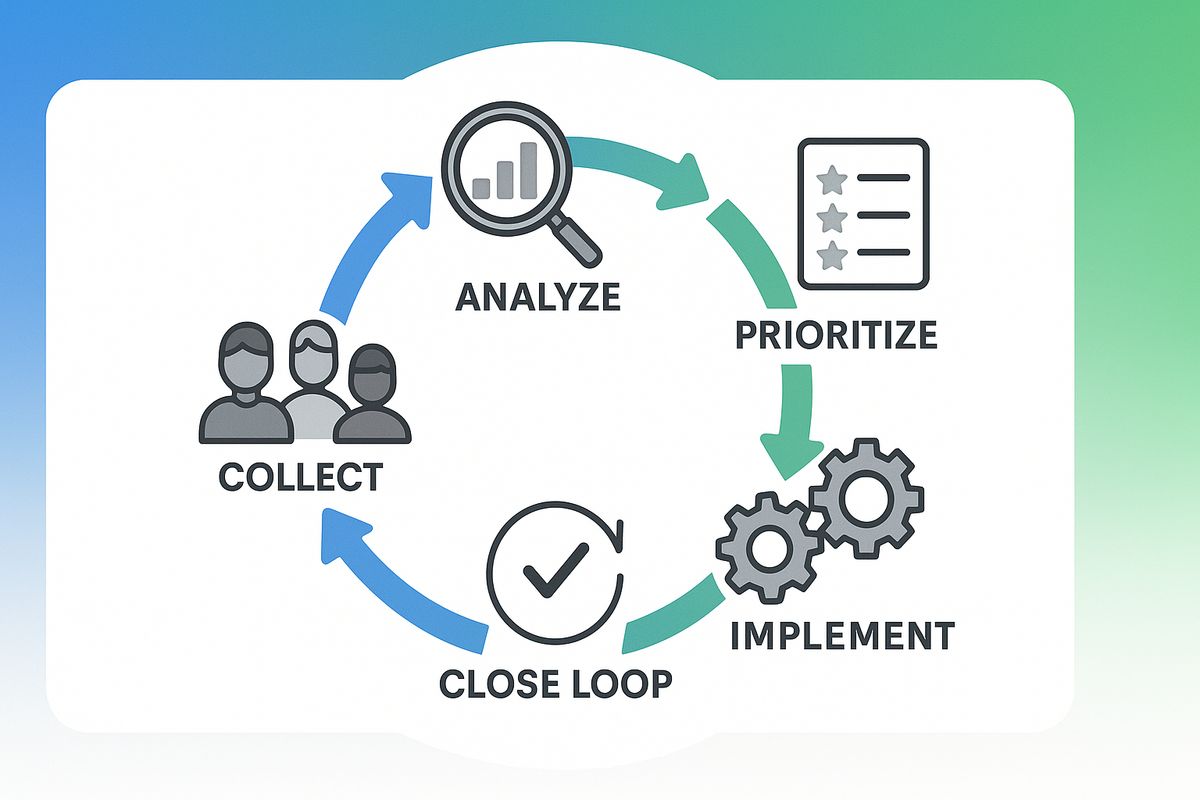
- Communicate what changed because of feedback, so employees see the loop closing
Real impact: Companies that regularly conduct anonymous employee surveys and act on the results see measurably higher retention rates and stronger employer brand scores.
Common mistakes with internal forms
Even well-intentioned internal form programs can fail. Here are the most common pitfalls and how to avoid them.
Making them too long
Internal forms are not the place for thoroughness at the expense of usability. A 30-field IT request form will lead to employees walking over to the IT desk instead, bypassing your system entirely. Keep forms focused on what is essential for that specific process.
Not acting on feedback
This applies to every type of internal form, not just satisfaction surveys. If employees submit process improvement suggestions and never hear back, they stop contributing. If maintenance requests sit unresolved, people stop filing them. Every form submission is a small act of trust. Honor it with a response.
Ignoring mobile users
Frontline workers, remote employees, and anyone away from their desk need to submit forms from their phones. If your forms are not mobile-friendly, you are excluding a significant portion of your workforce and missing critical data from the people closest to the action.
No clear owner for responses
Every form needs someone responsible for reviewing and acting on submissions. Without clear ownership, responses pile up, requests go unfulfilled, and the entire system loses credibility. Assign a specific person or team to each form type.
Ownership checklist: For each internal form, define who reviews submissions, how quickly they must respond, what the escalation path is, and who monitors overall metrics.
How AskUsers works for internal forms
While AskUsers is known for customer-facing surveys and feedback, it works equally well for internal forms. Here is what makes it a strong fit for HR and operations teams.
No-code form builder
HR and operations teams can create and update forms without waiting for IT. The drag-and-drop builder supports all the field types you need: text, dropdowns, rating scales, checkboxes, and more. Changes go live instantly.
Anonymous response support
For employee satisfaction surveys, exit interviews, and sensitive feedback, AskUsers supports fully anonymous responses. Employees can share honest feedback without fear of identification, which leads to more accurate and actionable data.
Webhooks for routing to internal systems
Connect your forms to the tools your team already uses. When someone submits an IT request, a webhook can create a Jira ticket. When an employee files a PTO request, the data can flow to your HR platform or notify the right manager in Slack. Configure it once, and it runs automatically.
GDPR-compliant
Internal forms often collect personal and sensitive data. AskUsers is built with privacy in mind and supports GDPR compliance, giving you confidence that employee data is handled properly.
Embeddable or hosted
Embed forms directly in your intranet, internal wiki, or company portal. Or share standalone links via email or messaging apps. Either way, employees can access forms wherever they work, on any device.
Getting started: You can set up your first internal form in under 10 minutes. Start with a high-impact use case like a PTO request or IT support form, connect a webhook to your existing workflow, and see the difference immediately.
Frequently asked questions
Can I use AskUsers for internal forms if we already use it for customer surveys?
Yes. You can create separate forms for internal and external use within the same account. Each form has its own settings, responses, and webhook configurations, so there is no overlap between customer-facing and internal forms.
How do I ensure employee responses are truly anonymous?
AskUsers supports anonymous response collection where no identifying information is stored with the submission. When anonymous mode is enabled, there is no way to trace a response back to a specific individual, even for account administrators.
Can internal forms integrate with our HR software?
If your HR software accepts incoming data via webhooks or has an API, then yes. AskUsers webhooks send structured JSON data with every submission, which can be received by virtually any modern tool or middleware platform.
What about sensitive forms like harassment reports?
For highly sensitive forms, use anonymous responses, restrict who can view submissions to authorized personnel only, and communicate clearly to employees about how their data is protected. AskUsers' privacy-first approach and GDPR compliance make it suitable for sensitive use cases.
How many forms can I create?
Check the AskUsers pricing page for current plan limits. All plans support multiple forms, and you can create different forms for different departments and processes.
Do I need technical skills to set up webhooks?
Setting up webhooks typically requires minimal technical knowledge. You need a URL endpoint from your receiving system (Slack, Jira, Zapier, or a custom endpoint). Your IT team can usually configure this in under an hour, and once set up, it works for all future submissions.
Streamline your HR and operations with digital forms
AskUsers makes it easy to build internal forms that your employees will actually use. Anonymous surveys, webhook integrations, and mobile-friendly design, all without writing a line of code.