
Picture this: your marketing campaign launches next week, and you need a lead capture form. You submit a ticket to IT. They say it'll take two weeks. The campaign launches with a Google Form that doesn't match your brand and can't integrate with your CRM. Sound familiar?
This is the story of every marketing team stuck waiting for developer resources to build simple forms. But here's the thing—you don't need to code to create professional, branded forms that integrate with your entire tech stack.
Why marketing teams need form independence
Marketing moves fast. Product launches, campaigns, events, webinars, lead magnets—they all need forms, and they need them yesterday. But when every form requires developer time, you're stuck in a bottleneck.
The typical scenario:
- Marketing: "We need a webinar registration form by Friday"
- IT: "We're working on the website redesign, earliest slot is in 3 weeks"
- Marketing: (Creates another Google Form that looks nothing like the brand)*
This isn't just frustrating—it's expensive. Every delay means lost leads, missed opportunities, and campaigns that launch half-ready.
No-code forms: design freedom without the dev queue
No-code form builders put the power back in marketing's hands. You can create, customize, and launch professional forms in minutes, not weeks.
What you can do without touching code
Design forms that match your brand perfectly:
- Custom colors, fonts, and button styles
- Your logo and brand elements
- Light and dark mode support
- Mobile-responsive layouts automatically
Build exactly what your campaign needs:
- Multi-page forms for complex workflows
- Conditional logic (show different questions based on answers)
- File uploads for content submissions
- Rating scales, NPS surveys, multiple choice—all the question types you need
Launch anywhere, instantly:
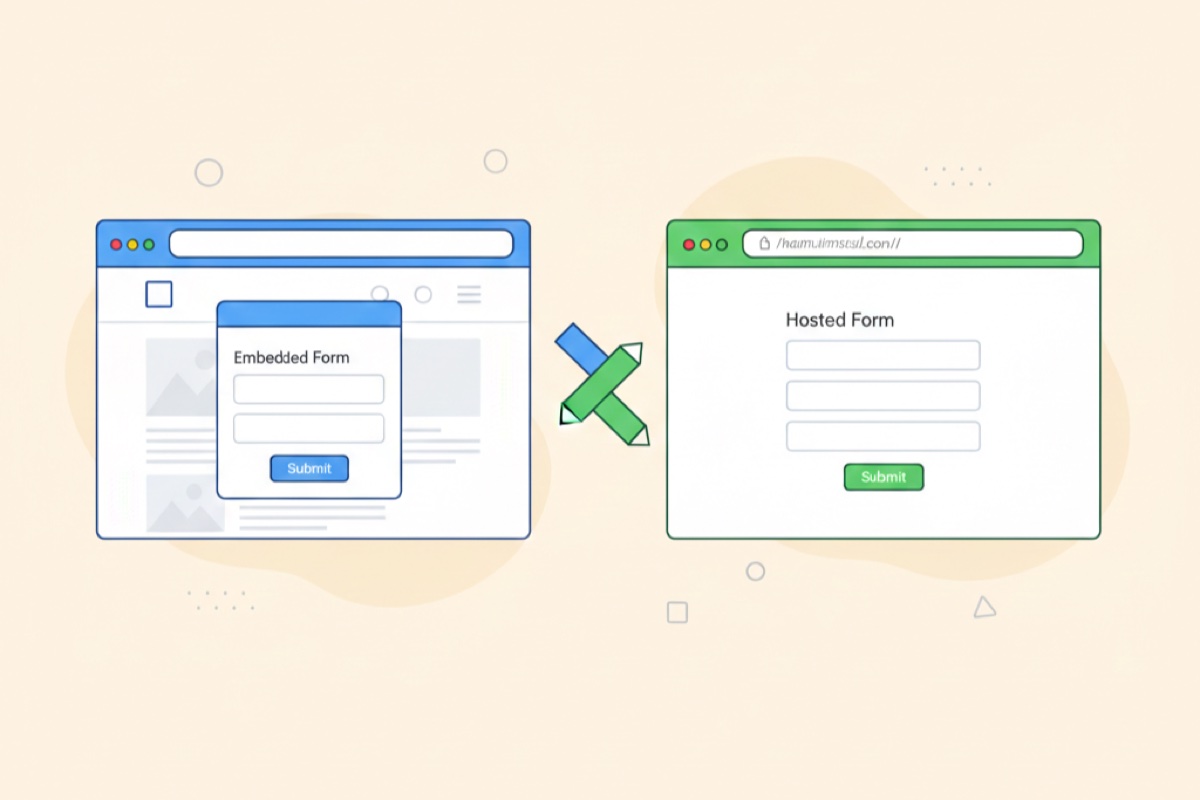
- Embed directly on your website
- Share as a standalone hosted page
- Pop up as a modal or slide-in widget
- Add to email campaigns
Real example: A SaaS marketing team needed a product feedback form for their customer conference. Using AskUsers, they designed, branded, and launched the form in 45 minutes—then made live adjustments during the event based on initial responses. No developer involved.
But what about integrations? That's where webhooks come in
Here's where most marketing teams hit a wall: "Sure, I can build the form, but how do I get the data into Salesforce/HubSpot/Slack/our custom CRM?"
This is where you ask your developers for help—but here's the beautiful part: you're only asking them for integration, not form design.
The webhook handoff: one conversation with IT
Instead of submitting tickets for every new form, you have one conversation:
Marketing to IT: "We're using AskUsers for our forms now. Can you set up webhooks to send the data to [our CRM/database/automation tool]? Once that's configured, we can handle all the form creation ourselves."
Your developers configure the webhook endpoint once, and from then on:
- You create and launch forms whenever you need them
- Submissions automatically flow to your systems in real-time
- Data is structured, validated, and ready to use
- No more manual data entry or CSV imports
What webhooks unlock for marketing
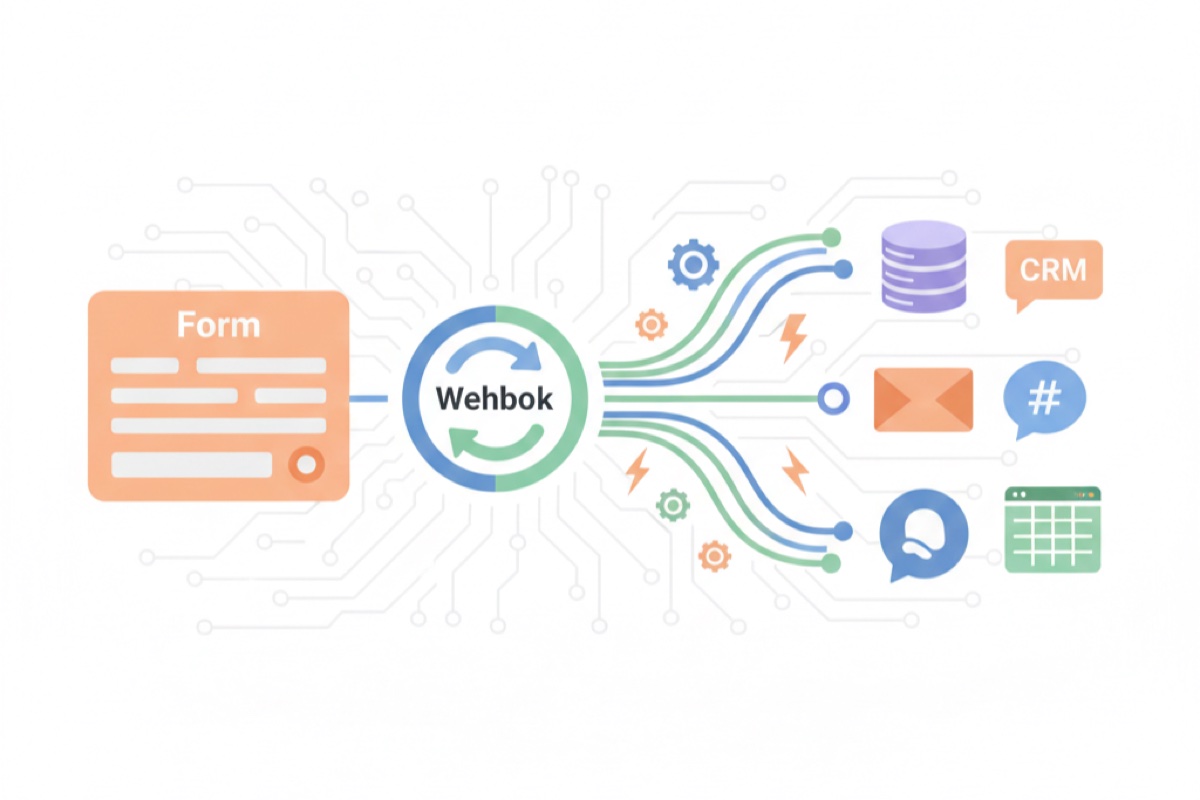
Think of webhooks as messengers. Every time someone submits your form, a webhook instantly sends that data wherever you need it:
- CRM systems: New leads appear in Salesforce or HubSpot immediately
- Email tools: Trigger welcome sequences in your email platform
- Slack notifications: Get instant alerts for high-value submissions
- Spreadsheets: Auto-populate Google Sheets or Airtable
- Custom systems: Feed data into your proprietary tools
The key insight: you control the form, IT controls the integration. Each team focuses on what they do best.
Technical note for your developers: Webhooks receive POST requests with JSON payloads containing all form submission data. They can authenticate, transform, and route data to any system. Most setups take less than an hour to configure.
Real marketing use cases
Here's how marketing teams are using no-code forms with webhook integrations:
1. Event registration that actually works
Create custom registration forms for each event—webinars, conferences, product demos. Webhook sends registrations directly to your webinar platform and adds attendees to nurture sequences.
Marketing's job: Design the form, customize questions for each event
Developer's job: Configure webhook to your webinar platform (once)
2. Lead magnets at scale
Launch new ebooks, whitepapers, or tools without IT tickets. Each lead magnet gets its own branded form. Webhooks handle delivery and CRM integration automatically.
Marketing's job: Create forms for each asset, A/B test different versions
Developer's job: Set up webhook to deliver content and update CRM (once)
3. Customer feedback that goes somewhere
Build NPS surveys, satisfaction forms, or feature requests. Webhooks route responses to your support system, product team Slack channel, or customer success platform.
Marketing's job: Design surveys, customize for different customer segments
Developer's job: Configure webhook routing logic (once)
4. Contest and giveaway entries
Create entry forms that match your campaign creative. Webhooks validate entries, check for duplicates, and populate winner selection tools.
Marketing's job: Build engaging forms with proper fields
Developer's job: Set up webhook validation and storage (once)
Getting started: from zero to launched in 30 minutes
Here's your action plan:
Step 1: Choose your no-code form builder
Look for platforms that offer both design flexibility and webhook capabilities. AskUsers provides both in a marketing-friendly interface—no coding required, but powerful enough to handle complex workflows.
Step 2: Build your first form
- Start with your brand colors and logo
- Add the fields you need (keep it short—every field reduces completion rates)
- Test on mobile (60% of submissions come from phones)
- Preview before launching
Step 3: Schedule 30 minutes with a developer
Show them your form builder's webhook documentation. They'll configure the endpoint to send data where it needs to go. This one-time setup handles all future forms.
Step 4: Launch and iterate
Unlike traditional development, you can make changes instantly. Adjust questions, update copy, change styling—all without developer help or deployment cycles.
The bottom line: move at the speed of marketing
No-code forms don't eliminate the need for developers—they eliminate the bottleneck. Developers configure the integration infrastructure once, and marketing runs with it forever.
The result?
- Campaigns launch on time, every time
- Forms that actually match your brand
- Data flowing into your systems automatically
- IT focused on complex projects, not simple forms
- Marketing moving at the speed of ideas, not tickets
It's not about working around IT—it's about working smarter together. You handle the form, they handle the pipes, and everyone moves faster.
The mindset shift: Stop thinking "I need a developer to build this form." Start thinking "I need a developer to integrate this form system once, then I'm self-sufficient."
That's the power of no-code forms with webhook integration. Marketing gets creative control and speed. IT gets fewer interruptions and better architecture. Everyone wins.
Ready to stop waiting for forms? Start building with AskUsers—design your form in minutes, connect your webhooks once, and never wait for a simple form again.